
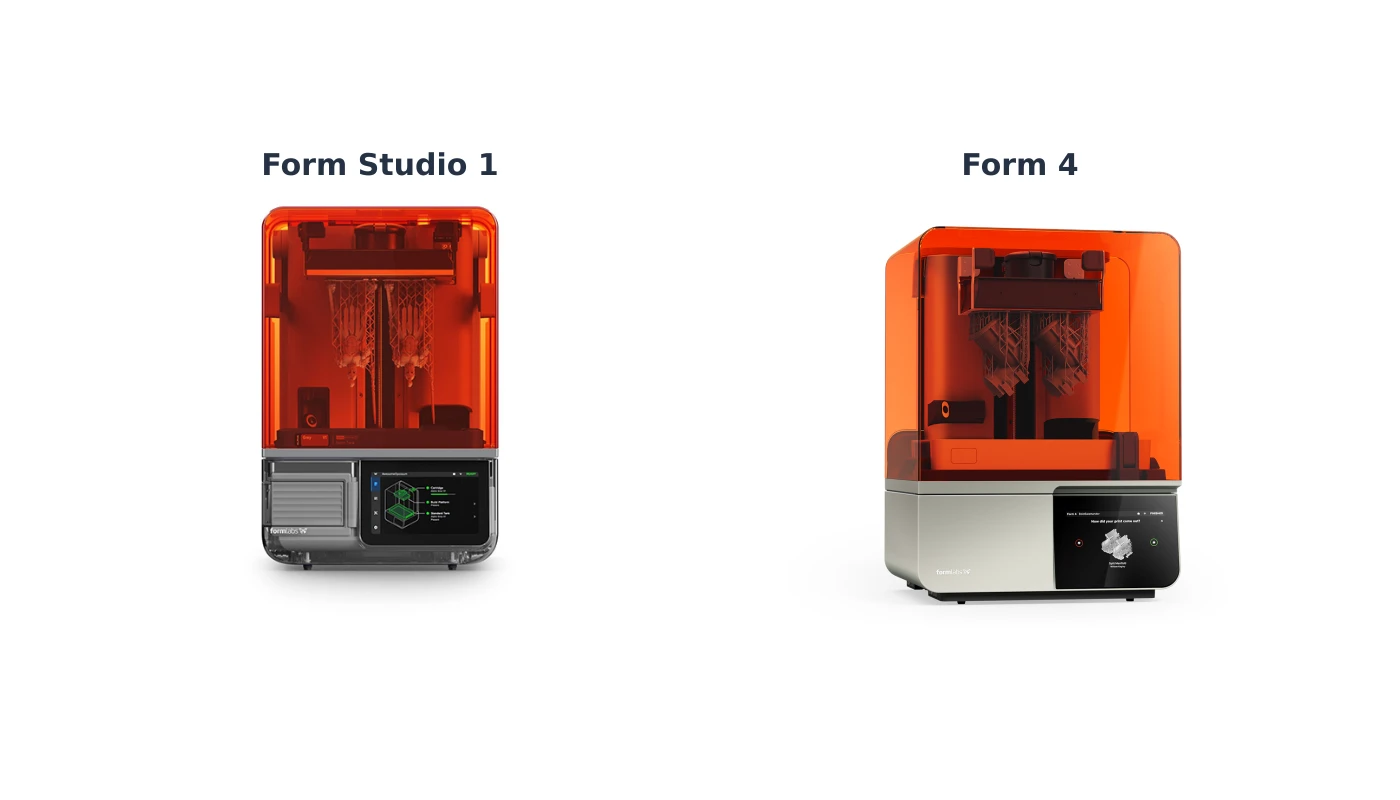
Formlabs Form Studio 1 vs Form 4: which resin printer is right for you?
The Formlabs Form Studio 1 and Form 4 produce detailed parts from liquid resin. Which printer suits your plans? This comparison looks at build volume, materials, workflow and costs.
Quick advice: The Form Studio 1 is an accessible choice for makers, designers and teams starting with resin. Consider the Form 4 if you need a wider range of validated materials and a professional workflow. Start with your part requirements: they determine which printer and resin fit.
This comparison is based on Formlabs information, not a hands-on test. Specifications and material support can change.
Form Studio 1 and Form 4 at a glance
| Feature | Form Studio 1 | Form 4 |
|---|---|---|
| Technology | MSLA with Low Force Display | MSLA with Low Force Display |
| Build volume | 200 × 125 × 235 mm | 200 × 125 × 210 mm |
| XY pixel size | 35 microns | 50 microns |
| Resin supply | Automatic | Automatic |
| Resin mixing | No built-in mixer | Built-in mixing and heating system |
| Open Material Mode | Included; Resin Tank Pro required | Available; check current conditions and requirements |
| Post-processing | Studio Wash+Cure or Form Wash and Form Cure, among others | Form Wash and Form Cure, among others |
Source: Formlabs comparison. Pixel size is not the same as dimensional accuracy: material, geometry and settings also matter.
Which materials can you use?
Material choice is often more important than specifications on paper. Consider the strength, flexibility, temperature resistance and finish your part needs.
Form Studio 1: Alpha and selected engineering resins
Formlabs developed Alpha resins for the Form Studio 1, including materials for models and rapid prototypes. It also supports selected engineering materials such as Tough 1500 Resin V2, Flexible 80A V2 and True Cast Resin. Check the tank and settings required for each material.
Formlabs distinguishes validated materials with tested settings from other compatible materials whose settings may need adjustment. The Studio 1 has no built-in resin mixer, so results and material properties may differ from the data sheet.
Form 4: a wide choice of materials
The Form 4 has a broad library of validated resins, including materials for rigid, flexible, impact-resistant and heat-resistant parts. It mixes and heats the resin, which helps with materials requiring even distribution.
Note: Not every Formlabs resin works with every printer. Alpha resins for the Studio 1, for example, are not compatible with the Form 4. Check current compatibility before ordering. Explore Formlabs materials.
Using third-party resin
Open Material Mode is included with the Studio 1; third-party material requires Resin Tank Pro. You must check suitability and settings yourself. Open Material Mode is available for the Form 4; check the current terms and accessories first.
Read Formlabs' explanation of the two tanks. The standard tank is not suitable for every material, and the Pro tank is not recommended for every Alpha application.
Build volume, detail and print speed
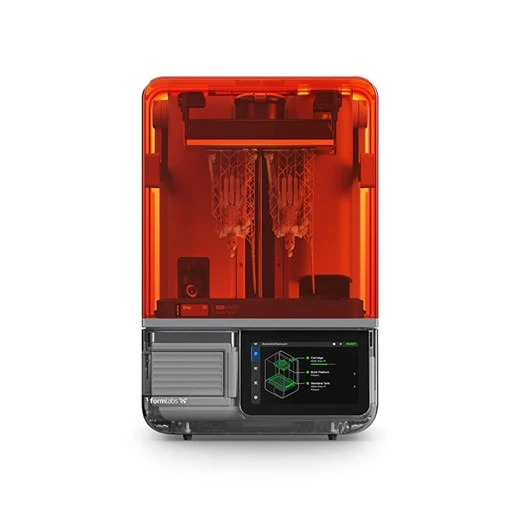
Both printers have the same build width and depth. The Studio 1 offers 235 mm of height; the Form 4 offers 210 mm. For tall models, allow room for supports and for removing the part.
Formlabs states an XY pixel size of 35 microns for the Studio 1 and 50 microns for the Form 4. This describes the light engine but does not by itself predict accuracy or quality. Material, geometry, orientation and post-processing matter too.
Speed depends on resin and layer height. Formlabs quotes up to 130 mm per hour for the Studio 1 with Alpha Fast Resin. This maximum does not apply to every print or resin. Compare estimated print times for your parts in PreForm.
What does the workflow look like?
Prepare models for both printers in PreForm: select a supported material, position the model and add supports where needed. Both printers supply resin automatically.
After printing, remove the part from the build platform. Wash and dry it according to the material instructions, and post-cure it when required. Form Studio Wash+Cure is designed for Studio 1. Form Wash and Form Cure are also compatible with Studio 1 according to Formlabs and are intended for the Form 4 workflow.
Follow the safety data sheet. Wear suitable gloves and work in a suitable, ventilated space. Do not pour liquid resin or contaminated cleaning solutions down the drain. Follow local disposal rules.
Explore Formlabs post-processing and check what is included in each package.
What does a complete resin workspace cost?
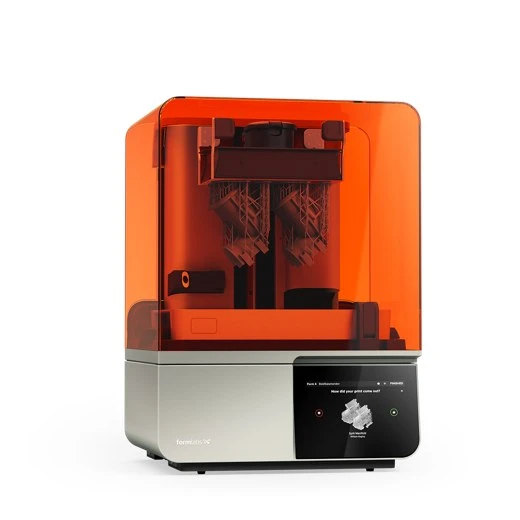
Compare the complete workflow and package contents, not just the printer price.
- Printer and build platform
- Correct resin tank and resin
- Suitable washing and post-curing equipment
- Cleaning solution, gloves and other consumables
- Maintenance, replacement parts and any service
- Time for preparation, post-processing and inspection
A cheaper package is not automatically better value if you need extra equipment. Equally, you may not need the largest package if you already own some equipment. Check current prices and contents on the product pages.
Which printer suits your application?
Miniatures, models and first prototypes
For detailed models and an accessible start, consider the Form Studio 1. Check whether the Alpha or engineering resin you need suits your application.
Product development and functional parts
For prototypes that must flex or withstand impact or heat, start with your requirements and compare technical data sheets. The Form 4 is attractive if you need more validated materials and a mixer. If a supported Studio 1 material meets your needs, that printer may also fit.
Repeatable small batches
For recurring jobs, material choice, post-processing and time per part matter. Define quantities, properties and staff involvement. Where possible, test a representative part before committing to the workflow.
Our advice
Choose the Studio 1 if you want an accessible resin printer and its supported materials fit your work. Consider the Form 4 if a wider range of validated materials, resin mixing and your production process carry more weight. Both need a suitable workspace and careful post-processing.
Frequently asked questions
Is the Form Studio 1 more accurate because its pixels are smaller?
Pixel size alone cannot answer that. Accuracy also depends on resin, geometry, settings and post-processing. Check stated tolerances and test a relevant part.
Can I use Alpha Resin in the Form 4?
No. Alpha resins were developed for the Studio 1 and are not compatible with the Form 4. Always check current material information.
Do I need washing and curing equipment?
A resin print must be cleaned. Many materials also need post-curing according to their instructions. Check the appropriate method, equipment and settings for your resin.
Which printer is best for engineering parts?
That depends on the material and part requirements. Form 4 offers more validated resins and a mixer. Studio 1 also supports certain engineering resins. Check the correct tank and technical data.
Want help choosing for your project? Contact our team and tell us what you want to make, its size and the properties you need.
Sources: Formlabs printer comparison and Studio 1 tank selection.