GPIO Project 5 - LDR Introduction
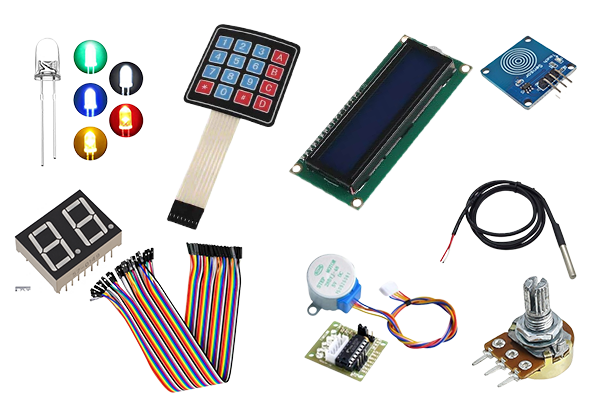
In this project you will learn how to use a LDR (Light Dependent Resistor) to measure light intensity. The LDR (found in your GPIO Kit ) changes its resistance depending on the amount of light, allowing you to use this data to, for example, automatically switch an LED on or off based on the light level.
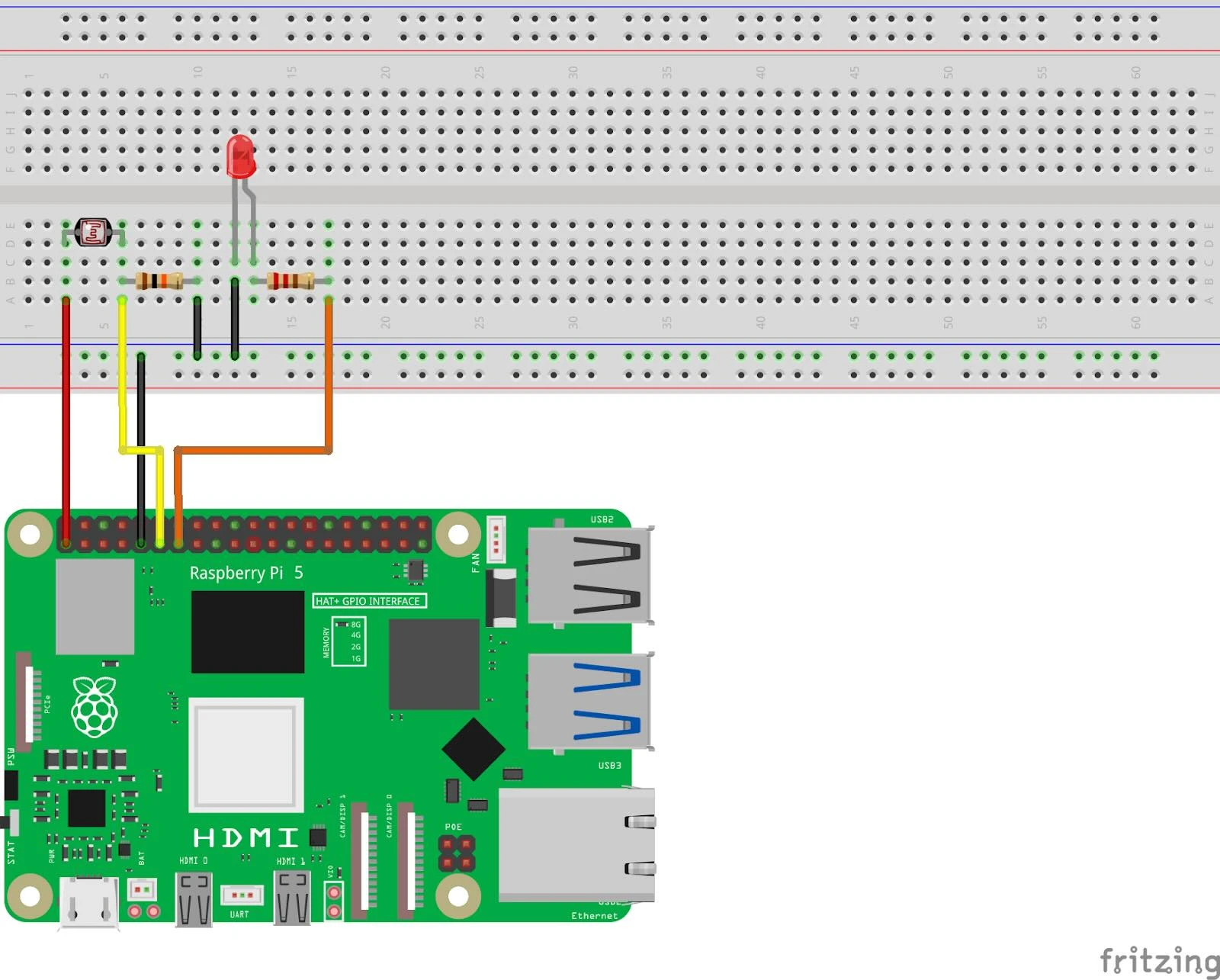
Connection diagram
Connection diagram
Connect the LDR (light sensor):
- Connect one side of the LDR to 3.3V (pin 1) .
- Connect the other side of the LDR :
- Connect to GPIO 17 (pin 11) .
- Connect a 10kΩ resistor to GND (pin 6) .
Connect the LED:
- Long leg (anode) :
- Connect this to GPIO 27 (pin 13) .
- Short leg (cathode) :
Connect to GND (pin 6) .
Pinout Reference
GPIO | Pin # | Function | Connection |
| GPIO 17 | Pin 11 | Analog input | LDR |
| GPIO 27 | Pin 13 | Digital output | LED |
| 3.3V | Pin 1 | Power supply 3.3V | LDR |
| GND | Pin 6 | Earth (Ground) | LDR & LED |
Python code in Thonny
Step 1: Write your code
Open the Thonny Python IDE and enter the following code:
from gpiozero import LED, MCP3008
from time import sleep

# LED en LDR koppelen
led = LED(27)             # LED op GPIO 27
ldr = MCP3008(channel=0)  # LDR op analoge invoer kanaal 0 (MCP3008)

while True:
    light_level = ldr.value  # Lees het lichtniveau (waarde tussen 0 en 1)
    print(f"Lichtniveau: {light_level:.2f}")

    if light_level < 0.5:  # Drempelwaarde: weinig licht
        led.on()
    else:
        led.off()

    sleep(0.5)
Step 2: Save the file
Click File > Save As and name the file ldr_intro.py .
Step 3: Run the script
Click the green Run button (▶) at the top of the Thonny interface.
How does it work?
- LDR (Light Dependent Resistor):
- The LDR changes its resistance depending on the amount of light.
- In this project, the MCP3008 is used to read the analog value from the LDR and convert it to a digital value between 0 and 1.
- Python program:
- The script continuously reads the light intensity via the MCP3008.
- If the light value is below the threshold value (0.5), the LED switches on. Otherwise it remains off.
Result
- Low light : The LED turns on.
- Lots of light : The LED remains off.
The terminal displays the light intensity in real time.
Experimenting
- Adjust Threshold: Change the threshold value ( 0.5 ) in the code to adjust the sensitivity of the LED.
- Advanced applications:
- Add a second LED that turns on in bright light.
- Log the light intensity to a file for further analysis.
After this project you can continue with the next:
https:// electronicsforyou.com/project/gpio-project-6-rgb-led