
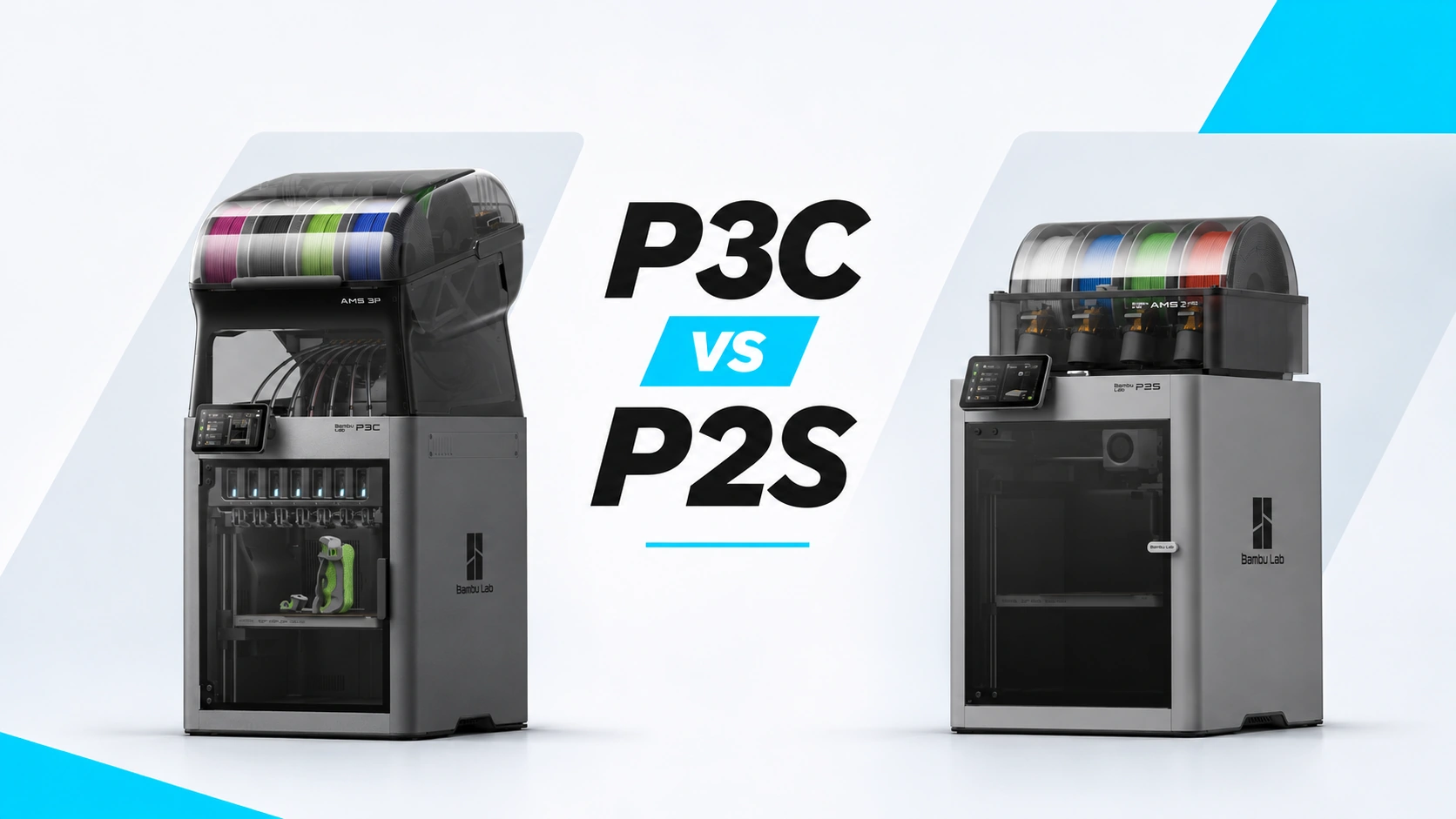
Bambu Lab P3C vs P2S: which 3D printer is right for you?
The Bambu Lab P3C and P2S are enclosed 3D printers for makers, schools and businesses. Both can print in multiple colours, but they work differently.
The P2S Combo uses one nozzle and an AMS 2 Pro, which changes the filament during a print. The P3C Combo comes with five PrintTools, each with its own filament path and nozzle. The printer changes tools automatically.
Quick advice: choose the P2S Combo if you want a versatile printer at a lower price. Choose the P3C Combo if you often combine colours or materials and want the benefits of separate PrintTools.
We compare the two Combo versions to help you find the right printer for your projects and budget.
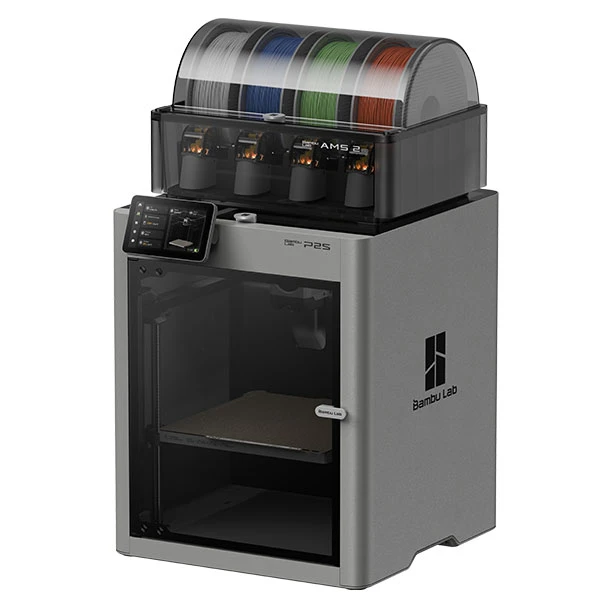
P3C vs P2S: the key differences
| Feature | P2S Combo | P3C Combo |
|---|---|---|
| Build volume | 256 × 256 × 256 mm | 256 × 256 × 260 mm |
| Print system | One nozzle with automatic filament changes | Swaptek tool changer |
| Included nozzles | One 0.4 mm nozzle | Five PrintTools, each with a 0.4 mm nozzle |
| Additional tool positions | Not applicable | Two free positions |
| Included filament system | AMS 2 Pro | AMS 3P |
| Spool capacity | Four | Seven |
| Filament loading | Automatic via AMS 2 Pro | Manual in AMS 3P |
| Filament drying | Built in, up to 65 °C | Optional module, up to 75 °C |
| Maximum nozzle temperature | 300 °C | 300 °C |
| Maximum bed temperature | 110 °C | 110 °C |
| Actively heated chamber | No | No |
What is the main difference?
The main difference is how the printers change colours and materials.
P2S: one nozzle and automatic filament changes
The P2S Combo has one nozzle. Its included AMS 2 Pro holds four filament spools. When you select another colour during a print, the printer removes the old filament from the nozzle and the AMS feeds in the new filament.
The printer purges the nozzle before continuing. This works well for many multicolour prints, but each change takes time and creates purge waste.
P3C: changing between PrintTools
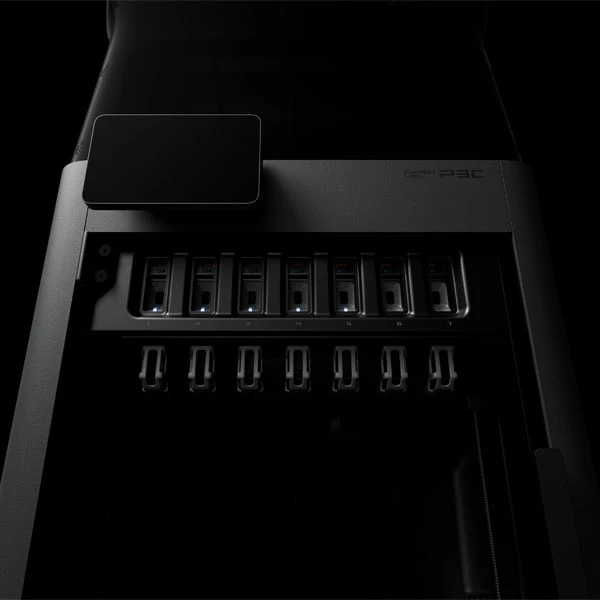
The P3C Combo uses the Swaptek system. It has room for seven PrintTools and comes with five as standard.
Each PrintTool has its own nozzle, heater and filament path. Filament can remain in its own tool. For a colour change, the printer picks up the next tool.
According to Bambu Lab, printing with the next material can resume after around six seconds. Actual time depends on the model and settings. The difference is most noticeable on models with many colour changes. For a single-colour print, the tool changer has less effect on total print time.
Which printer produces less waste?
The P3C can produce less purge waste when switching between separate PrintTools. Each tool uses its own material, so the printer does not have to purge one colour from a shared nozzle every time.
On the P2S, materials pass through the same nozzle. At each colour change the printer must purge enough filament to remove the previous colour.
The difference depends on:
- The number of colour changes.
- The colours and materials used.
- The size of the model.
- Slicer settings.
- Use of a prime tower or other preparation.
The P3C is not automatically waste-free. Even a tool changer may need material to prepare a nozzle. If extra colours share a PrintTool, purging may also be needed.
If you usually print one colour per job, the difference may be small. If you often make figures or logos with changes on many layers, the P3C can offer a greater benefit.
Build volume: almost the same
Both printers offer a similar build volume.
The P2S prints up to 256 × 256 × 256 mm. The P3C reaches 256 × 256 × 260 mm, giving it four millimetres of extra height.
For most projects, the difference is small. Both printers are suitable for:
- Electronics enclosures.
- Holders and mounting brackets.
- Prototypes.
- Decorations and figures.
- Small product development parts.
- Educational models.
Need larger parts? Consider a printer with a larger build volume. Our Bambu Lab buying guide helps you compare other models.
AMS 2 Pro vs AMS 3P
AMS 2 Pro: automatic loading and built-in drying
The P2S Combo’s AMS 2 Pro holds four spools. It automatically feeds compatible filament and switches between the selected spools during a print.
The AMS 2 Pro can also actively dry filament. According to the product information, the dryer reaches up to 65 °C. Check which temperature your filament and spool can tolerate.
If you use two spools of the same material, the printer can automatically continue with the next when one runs out, provided the settings and materials are suitable.
AMS 3P: seven positions, manual loading
The P3C’s AMS 3P holds seven spools. Each position can be used with a suitable PrintTool. The standard Combo includes five tools.
One key difference: you load the filament by hand into the AMS 3P. The printer then switches automatically between loaded tools during the job.
The AMS 3P does not include active drying as standard. A separate drying module is available as an accessory. According to Bambu Lab, it can heat two positions at once to a maximum of 75 °C.
The P2S is convenient if you value automatic loading and built-in drying. The P3C offers more tool positions but requires more manual work when loading filament.
How many colours can you use?
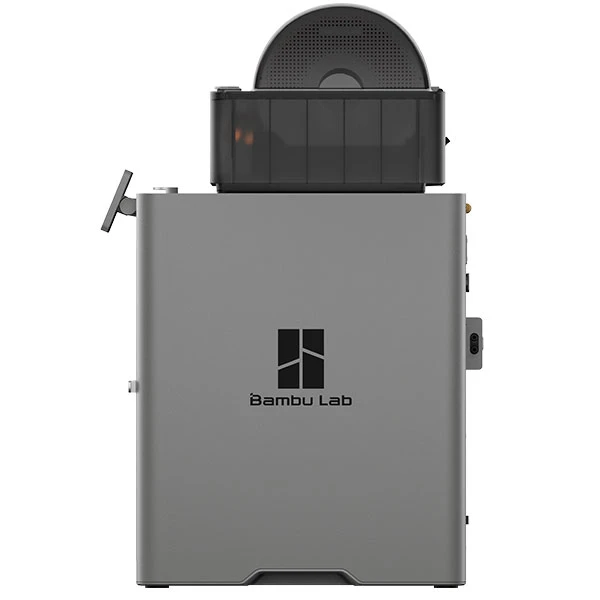
The standard P2S Combo holds four spools in its AMS 2 Pro. It can automatically switch between four compatible colours or materials.
The standard P3C Combo has five PrintTools. You can load five compatible colours or materials, each with its own tool. Add two suitable PrintTools to use up to seven tools.
Both printers can be expanded. For the P3C, Bambu Lab specifies up to 22 colours with additional external AMS units and a suitable buffer. Those extra colours share a PrintTool, so you do not get 22 separate nozzles.
Good to know: seven positions in the AMS 3P do not mean that the standard Combo includes seven PrintTools.
Which printer is suitable for TPU?
Both printers can process flexible TPU. The feed method depends on the type of TPU and the accessories used.
With the P2S, soft TPU is normally fed through a separate input. Not every flexible filament is suitable for the AMS 2 Pro.
The P3C also supports TPU. With a special PrintTool and a bypass input, it can additionally use 2.85 mm filament. Bambu Lab offers soft TPU 75A for this purpose, among other materials.
The 2.85 mm PrintTool is not included in the standard P3C Combo, and it is not needed for every type of TPU.
Want to combine hard and flexible materials in one part? First test whether they bond well. Adhesion varies with the material and settings.
Which materials can you print?
Both the P2S and P3C support familiar materials such as PLA, PETG, ABS, ASA and TPU. Various engineering and fibre-filled filaments are also possible.
Both printers have an enclosed chamber. This helps protect a print from draughts and rapid temperature changes, which is useful for materials such as ABS and ASA.
Neither printer has an actively heated chamber. If you want to print large engineering parts that need a lot of heat, also consider a model with active chamber heating, such as the H3C.
Both printers have hardened steel nozzles, which help with carbon- or glass-fibre-filled filament. Check the required nozzle diameter, drying temperature and settings for each material. Provide a suitable workspace and adequate ventilation, and follow the filament manufacturer’s instructions.
Using different nozzles

The P2S and P3C support different nozzle diameters. For example, use 0.2 mm for fine details or 0.6 or 0.8 mm for wider lines.
On the P2S, you change the nozzle yourself when you need another size. The printer uses one nozzle during a print.
The P3C can combine different nozzle diameters in one print job. The required nozzles must be fitted to suitable PrintTools.
You can use a fine nozzle for small details and a larger nozzle for other parts of the model. Whether this saves time depends on the design and settings.
What is the price difference?
On 24 November 2026, the Combo versions were listed at the following prices at Elektronica Voor Jou in the Netherlands:
| Version | Price including VAT |
|---|---|
| Bambu Lab P2S Combo | €659.95 |
| Bambu Lab P3C Combo | €1,175.00 |
| Difference | €515.05 |
The P2S price was a promotional price at that time. Prices and availability may change and vary by country. Check the current P2S Combo product page and read more about the P3C Combo.
Also consider which accessories you need. To expand the P3C to seven PrintTools or actively dry filament, you need the corresponding parts separately or a suitable bundle.
The P3C is most interesting when its extra features match what you print regularly. The price difference does not automatically pay for itself.
When should you choose the P2S Combo?
The Bambu Lab P2S Combo is a good fit if you want an enclosed and versatile printer.
Consider the P2S if you:
- Mostly print single-colour models.
- Occasionally add a logo or colour accent.
- Want a lower purchase price.
- Want automatic filament loading.
- Want an AMS with built-in drying.
- Need a printer for enclosures, parts and prototypes.
The P2S can also make complex multicolour models. Allow for extra time and purge waste when there are many colour changes.
When should you choose the P3C Combo?
The Bambu Lab P3C Combo is interesting if you often work with multiple colours, materials or nozzle diameters.
Consider the P3C if you:
- Regularly print models with many colour changes.
- Want to reduce purge waste when switching between separate tools.
- Want to use five PrintTools immediately.
- Want to expand to seven tools later.
- Want to combine nozzle diameters in one job.
- Want to use soft 2.85 mm TPU with suitable extra parts.
Keep in mind that you load filament into the AMS 3P manually. The drying module and two extra PrintTools are not included in the standard Combo.
Frequently asked questions
Is the P3C always faster than the P2S?
No. The P3C can save time when there are many changes between separate PrintTools. For a single-colour print, total time depends on the model, material and settings.
Does the P3C have seven nozzles?
The P3C has room for seven PrintTools. The standard Combo comes with five tools, each with a 0.4 mm nozzle.
Can the P2S also print in multiple colours?
Yes. The P2S Combo includes the AMS 2 Pro. It holds four spools as standard and automatically switches between compatible filaments.
Which printer is better for beginners?
That depends on what you want to make. The P2S Combo is a logical choice for a versatile printer and occasional colour combinations. The P3C offers more multicolour and multimaterial options, but loading and choosing the tools also require attention.
Can both printers use ABS and ASA?
Bambu Lab lists ABS and ASA as supported materials. Both printers have an enclosed chamber. Results still depend on the filament, dimensions and settings.
P3C or P2S: our advice
The P2S Combo offers plenty of possibilities at a lower price. You get an enclosed 3D printer with an AMS that automatically loads and actively dries filament. For many everyday prints, that is a strong combination.
The P3C Combo is particularly interesting if you often switch colours or materials. Its five included PrintTools can save time and purge waste on suitable models. With the right parts, you can also combine different nozzle diameters.
Still unsure? Think about the prints you want to make over the coming months. The number of colour changes, the material and your budget are more useful than speed on paper alone.
View the P2S Combo or read all about the Bambu Lab P3C.